Download manager for Windows · macOS next

Downloads that finish.
Every single time.

Downlyx splits each file across up to 16 connections, picks up exactly where it stopped — even after a restart — and scans every file before it lands in your folder. No account, no ads, no server in the middle.

  • 16 connections per file
  • HLS & DASH
  • BitTorrent
  • Finds video other extensions miss
  • Scanned before saved
The Downlyx icon with many streams of light flowing into it

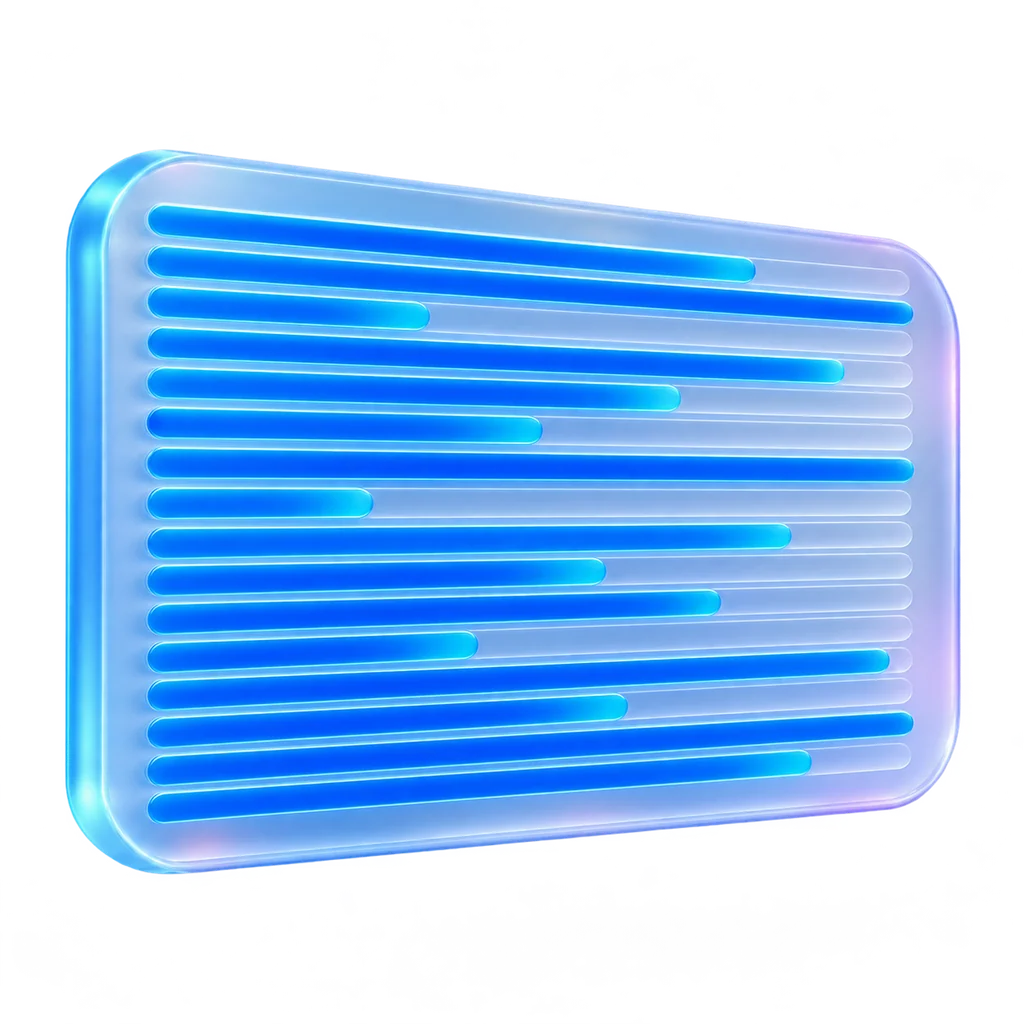
The Downlyx window

Illustration of the real Downloads list: every connection gets its own lane, so you can see a slow server at a glance.

16connections per file, rebalanced while it runs
32 GiBper download, with free space checked first
200links in one paste or drop
0bytes routed through our servers

Why Downlyx

Most download managers still work like it's 2005.

The web moved on: video arrives in thousands of pieces, links expire overnight, and a file deserves a check before you open it. Here is what changes when a download manager is built for that.

You open a video page

A list of cryptic URLs and .ts fragments. Guess which one is the video, then find out it has no sound.

One entry per player with the real qualities and sizes. Pick 1080p and you get 1080p, audio merged in.

Wi-Fi drops at 97%

Resume appends bytes blindly. If the file changed on the server, you get a broken file and find out later.

Resume only when the server proves it is the same file, otherwise restart cleanly. Progress is saved every second.

The link expired overnight

Start again from zero.

Keep every byte, open the page, paste a fresh link and continue exactly where you were.

The download finishes

The file lands straight in Downloads. Checking it is your problem.

Held in private staging, scanned by Microsoft Defender, verified with SHA-256 and marked as from the internet — only then moved to your folder.

Torrents, streams, Drive links

A torrent client, a stream grabber and a browser tab for Google Drive, each with its own queue.

One queue for files, HLS/DASH, video pages, magnets and Drive, Dropbox and OneDrive links, with one speed limit and one schedule.

The browser hands over a download

Every download is grabbed, on every site. If the app can't fetch it, the download is simply lost.

Only where you allow it. The browser's copy is cancelled only after Downlyx has accepted the job; otherwise the browser carries on.

Your download history

Every link, token included, sits in a plain-text file.

Links sealed with AES-256-GCM, the key kept in Windows Credential Manager. No account; your links, files and history never leave your PC.

You open the app

Toolbars, nag screens and a window that hasn't changed in twenty years.

A clean native window in light and dark, every action reachable from the keyboard. No ads, no bundled offers.

The engine

Built for the downloads that usually fail.

Big files, flaky Wi-Fi, links that expire, streams that arrive in thousands of pieces. Downlyx was engineered around those cases first.

Speed

Sixteen connections that never wait on the slowest one.

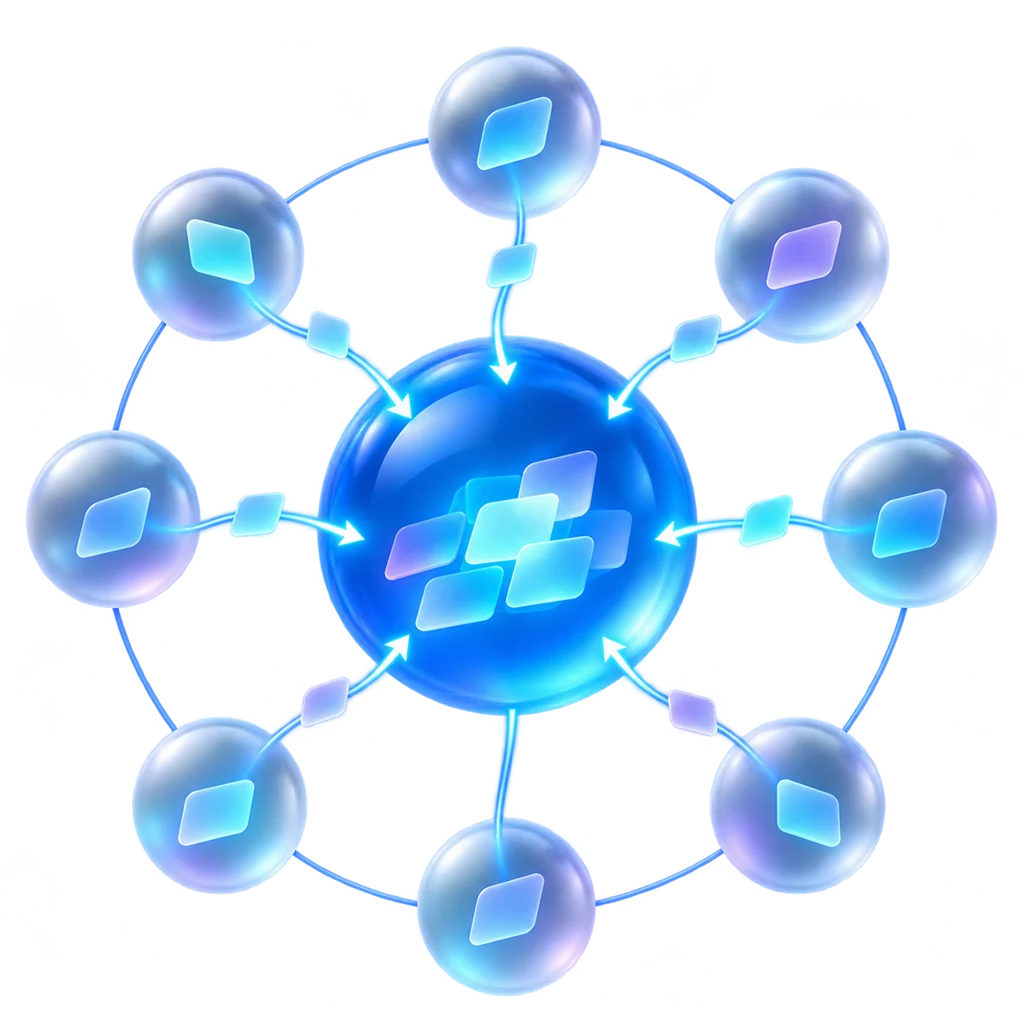
Each file is split into segments that download in parallel. When one connection finishes, it steals work from the busiest; when one lags, it is replaced without losing a single byte.

  • Work stealing down to 256 KiB, so the last few percent don't crawl
  • Slow connections are detected every 8 seconds and swapped out
  • 1–8 downloads at once, per-server limits, shared and per-download speed caps

Resume

Pause today. Restart Windows. Resume tomorrow.

Progress for every segment is saved each second. After a crash or a reboot, Downlyx continues from the exact byte — and only if the server proves the file hasn't changed, so you never get a silently corrupted mix of two versions.

  • Resume guarded by strong ETag or Last-Modified (If-Range)
  • Expired link? Keep the bytes, paste a fresh link, carry on
  • Source links sealed with AES-256-GCM, key kept in Windows Credential Manager

Streams

Thousands of stream segments in, one clean MP4 out.

Paste an .m3u8 or .mpd link and choose the quality. Segments download in parallel, survive pauses and restarts, and are assembled and merged with your audio track into a single file.

  • HLS (TS, fMP4, byte ranges, AES-128) and DASH (templates, timelines, lists)
  • Manifest refreshed on resume, so short-lived segment tokens stay valid
  • Video pages on supported sites through optional, user-installed yt-dlp

BitTorrent

Magnets and .torrent files, in the same list as everything else.

No second app. Open a magnet link from the browser, pick the files you want, and Downlyx downloads them with DHT, resumes after a restart and seeds back to the ratio you choose.

  • Choose files before a single byte downloads
  • Seeding stops at 0.5, 1 or 2 — or when you say so
  • Every torrent file is scanned before it's marked done

Chrome & Edge extension

If it plays in your browser, Downlyx finds it.

Where other extensions say "no video found", Downlyx Smart Capture keeps looking: in the player, the stream, the embedded frame and the network. Then it puts a Download button right on the video, and the desktop app does the heavy lifting with every safety check.

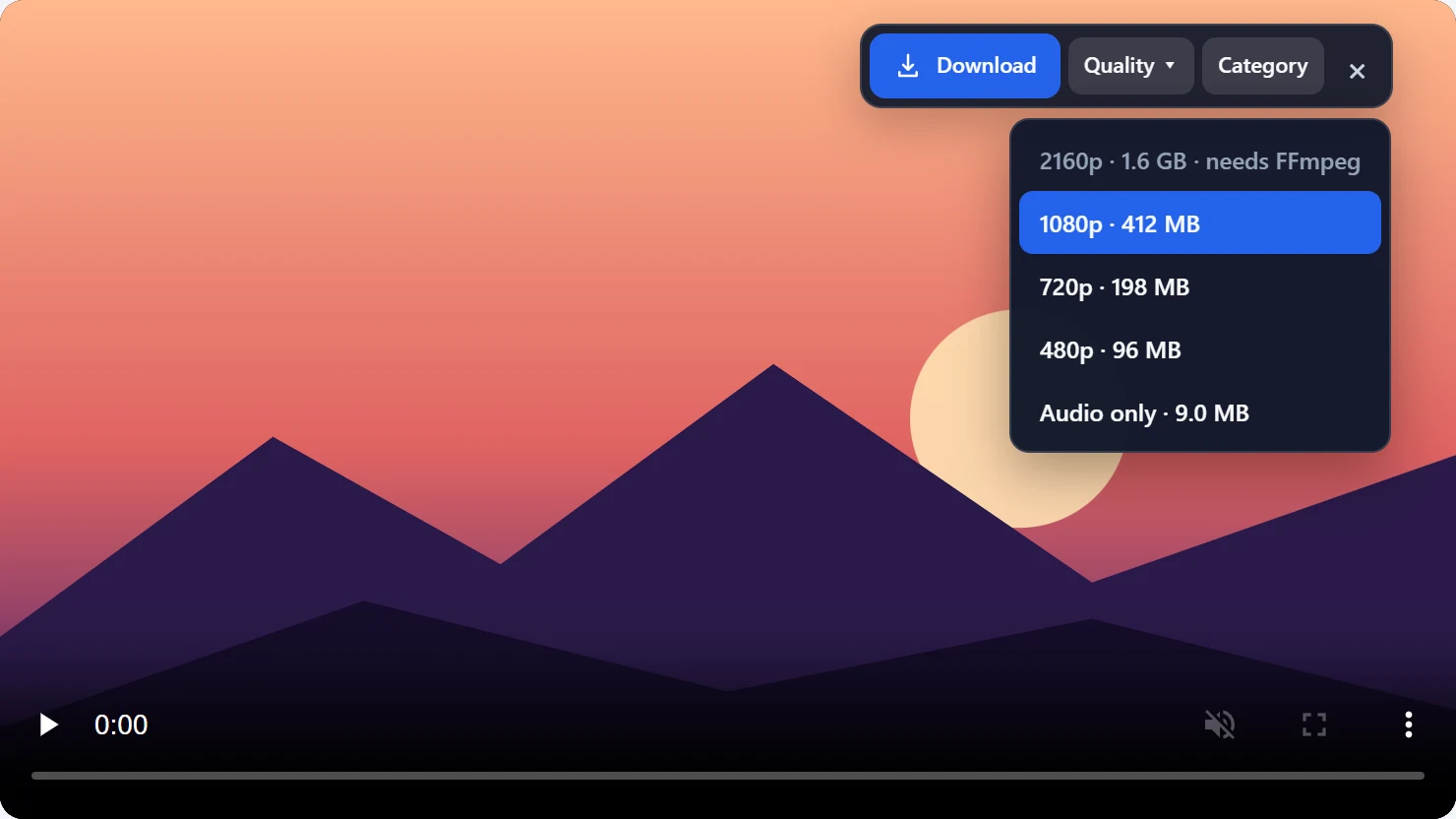
A video player with the Downlyx bar: Download, Quality, Category and close, and the quality menu open listing 2160p 1.6 GB needs FFmpeg, 1080p 412 MB, 720p 198 MB, 480p 96 MB and Audio only 9.0 MB
The real Download bar on a video player: every quality the video offers, with its file size.
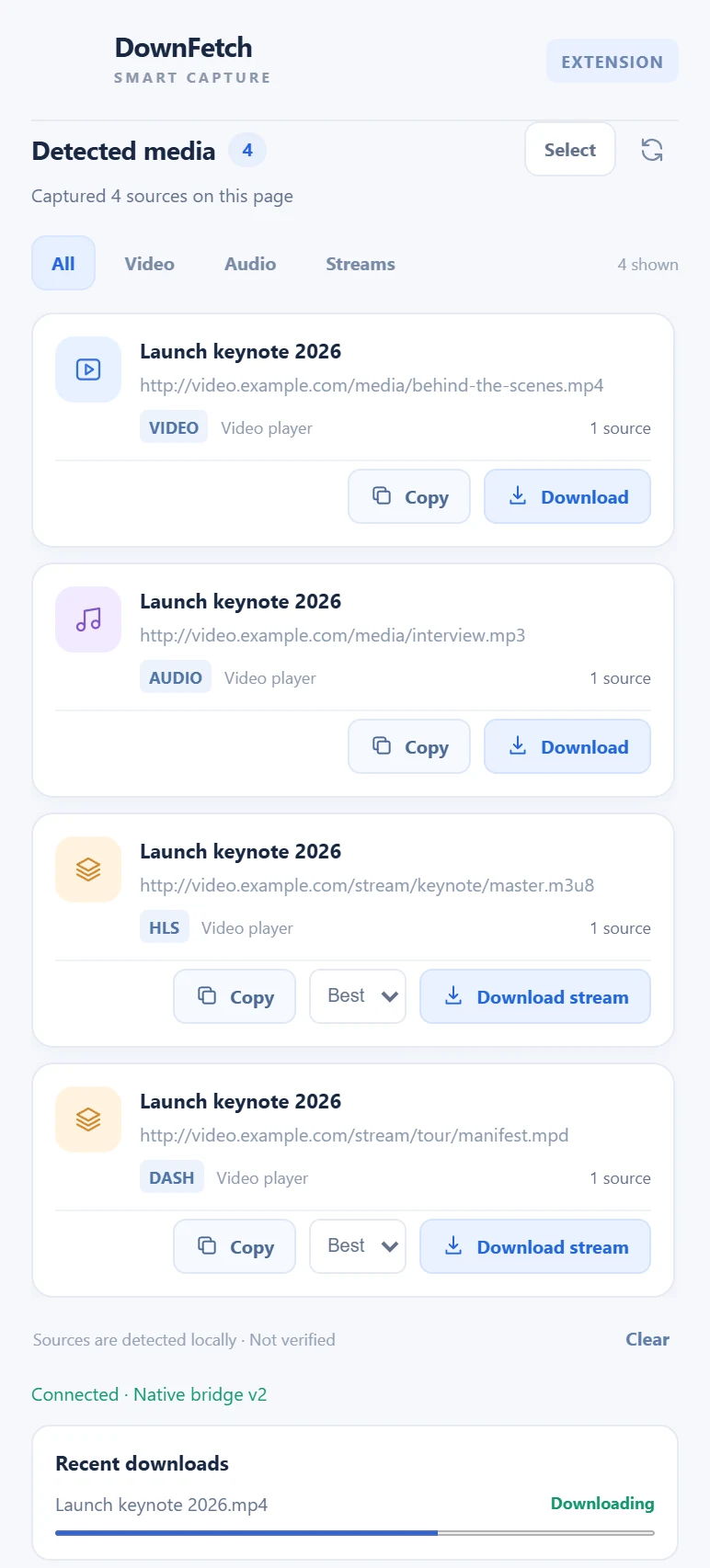
The Downlyx extension popup listing four detected sources on one page: an MP4 video, an MP3 audio, an HLS stream and a DASH stream, with a recent download in progress
The popup on a single page: a file, an audio track, an HLS and a DASH stream — all found, all one click away.

Detection

Eight ways to find the video. Most extensions use one.

Typical video downloaders wait for a link ending in .mp4. Downlyx looks at the page the way the player does, so it still finds the video when there is no file link at all.

  1. The player itselfVideo and audio elements, including the source the player actually chose.
  2. Streaming playersPlayers that only expose a blob: address are read through their own public API to reach the real stream.
  3. HLS and DASH.m3u8 and .mpd manifests, with every quality and audio track grouped under one video.
  4. Embedded playersVideos inside iframes served by a separate player host.
  5. Network responsesMedia recognised by its response type, even behind links with no file extension.
  6. Page metadataOpenGraph, Twitter Player cards and JSON-LD video objects.
  7. Video pagesPopular video and audio platforms recognised by their page address and resolved by the desktop app.
  8. Single-page appsFeeds that swap videos without reloading are followed as you scroll.

Follows your pointer

In a scrolling feed the button jumps to the video you point at, so ads and sidebars never steal the click.

One video, one entry

Everything a player loads is grouped into one item instead of a wall of fragments. The badge counts videos, not requests.

Right-click anything

Download a video, a link or the whole page with Downlyx: a zip, a PDF, an installer or a cloud share link.

Grab several at once

Tick up to 10 items in the popup and send them together. Duplicates and links already queued are skipped.

Progress in the popup

Recent downloads show live progress straight from the desktop app, without switching windows.

Takes over browser downloads

Optional: send every browser download to Downlyx, any file type. If Downlyx can't take it, the browser simply continues.

  • Off until you allow a site
  • No cookies or sign-ins read
  • Signed links never shown or logged
  • Talks only to the app on your PC

DRM-protected, private and live streams are not downloaded, and Downlyx never gets around sign-ins or paywalls. Screenshots show the real extension on a demo page.

Side by side

More than a faster Save button.

Downlyx compared with a browser's built-in downloads and typical download managers
Downlyx Browser downloads Typical download manager
Parallel connections per file161✓
Lagging connections replaced mid-download✓—Rare
Exact resume after a restart✓Limited✓
Refuses to resume if the server's file changed✓✓Varies
Expired link refreshed without losing progress✓—Some
HLS / DASH stream to one file, quality choice✓—Some
BitTorrent and magnet links✓—Some
Download button on video players, with real qualities and sizes✓—Some
Finds video in streaming players and embedded frames✓—Rare
One entry per video, not a list of fragments✓—Rare
Browser keeps the download if the app can't take it✓—Rare
Drive, Dropbox, OneDrive share links as direct downloads✓ManualRare
Malware scan before the file appears in your folder✓After savingOptional
SHA-256 recorded and checkable for every file✓—Rare
Download links encrypted at rest✓—Rare
Blocks links that point into your local network✓PartialRare
No ads, no bundled offers, no tracking of what you download✓✓Varies

"Browser downloads" means the built-in downloader of Chrome or Edge with default settings. "Typical download manager" summarises popular Windows download managers as of November 2026; individual products differ.

The everyday stuff, done properly

Small things you'll use every day.

☁︎

Cloud share links

Google Drive (even past the "can't scan" page), Docs exports, Dropbox, OneDrive, SharePoint and GitHub links become direct downloads.

⇣

Paste 200 links at once

Paste or drag a block of links from the browser. Each one is checked and queued, duplicates are skipped, failures explained.

◷

Schedule and limits

A daily download window, a shared speed cap plus a cap per download, and Sleep or Shut Down when everything is done.

⌁

Battery and metered aware

Optionally pause when your laptop goes on battery or Windows says the connection is metered, and resume when it's not.

⧉

Clipboard watcher

Opt in, copy a link anywhere, and Downlyx offers to download it. Off until you turn it on.

⇄

Proxy support

HTTP, HTTPS and SOCKS5 for downloads, streams, .torrent links and yt-dlp, with the password stored sealed.

▦

Library and categories

Everything you've downloaded, grouped by kind, searchable, with previews for scanned videos and images. Categories can save into their own folders.

#

Checksum check

Paste the publisher's SHA-256 in any common format and Downlyx tells you whether your file matches.

✦

Setup Assistant

A short first-run guide pairs the browser extension and, only if you ask, installs yt-dlp and FFmpeg through WinGet.

Safety by default

Nothing reaches your folder unchecked.

Download managers sit between the internet and your disk. Downlyx treats that seriously: every finished file is scanned first, and nothing it downloads is ever opened or run on its own.

  • Scanned before it's saved. Microsoft Defender checks each file while it's still in private staging; threats are deleted and the download fails with a clear reason.
  • Marked as from the internet. Saved files carry Mark of the Web, so SmartScreen and Office Protected View still protect you.
  • Your network stays private. DNS is resolved once and pinned, and every redirect is re-checked, so a link can't reach your router or other local devices.
  • Never overwrites. Files are published as video.mp4, video (1).mp4… with a SHA-256 check before and after.
  • Honest about limits. No DRM, paywall, login or CAPTCHA bypass, and no cookie extraction. A clean scan is not proof of safety, and we say so.

Questions

Which systems does Downlyx run on?

Windows 10 and 11 today. The macOS version builds already and ships once it has been tested on real Macs.

Do I need yt-dlp or FFmpeg?

No. Files, streams and torrents work without them. They are only needed for video pages on supported sites and for merging separate audio and video. They are never bundled: the installer and Settings offer to install them through WinGet if you want.

Which browsers does the extension support?

Google Chrome and Microsoft Edge. It talks to the desktop app through Native Messaging on your own computer; nothing goes through the internet.

Does Downlyx collect my data?

Your downloads, links, history and settings never leave your computer, and there is no account. To catch a bad update quickly, Downlyx sends anonymous usage counts: a random install ID, the app version, your operating system, and how many downloads finished or failed with which error code — never links, sites, file names or your IP address. You can turn this off any time in Settings › Privacy. The diagnostic report is only created when you ask for it, with links and tokens removed.

Can it download anything from any website?

It downloads what you already have the right to access. It does not get around DRM, paywalls, logins or CAPTCHAs, and protected streams are refused with a clear message.

Make your next download the easy one.

Downlyx for Windows 10 and 11, with the Chrome and Edge extension.

macOS coming next